
Keeping track of your Warrant of Fitness and vehicle registration in New Zealand used to mean digging through paperwork or trying to remember when you last visited the garage. Not anymore.
Whether you have one car or a whole fleet, here is how to check your WOF and rego expiry online in seconds, and how to make sure you never miss a deadline again.
How to Check Your WOF Expiry Online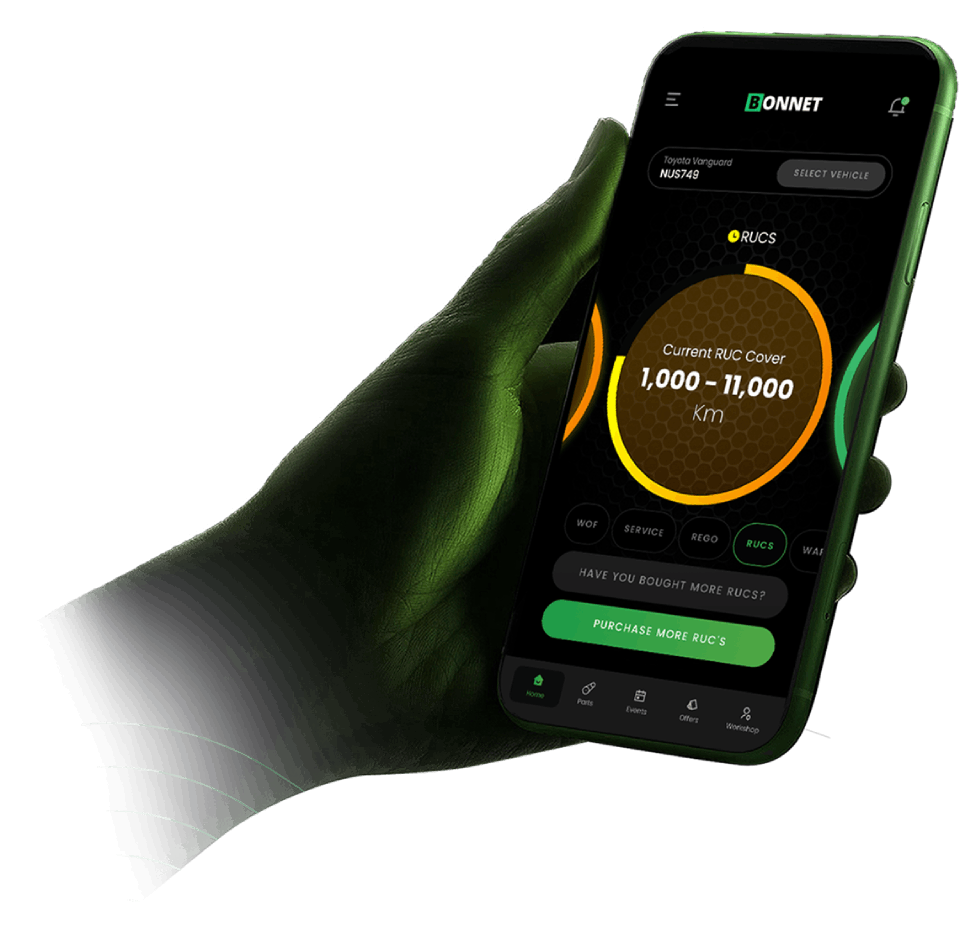
There are a few ways to check when your WOF is due:
1. NZTA Vehicle Status Check
The quickest free option is the NZTA website. Go to Vehicle status enquiry and enter your plate number. You will see your WOF expiry date, rego status, and whether there are any alerts on the vehicle.
**Limitations:** You have to check each vehicle one at a time, and it does not send you reminders. If you manage multiple vehicles, this gets tedious fast.
2. CarJam
CarJam shows WOF history, rego status, and vehicle specs. It is great for a one-off check but again, no reminders and no way to manage multiple vehicles.
3. BONNET (Free for Up to 5 Vehicles)
BONNET connects directly to NZTA and pulls your WOF, rego, RUC, and COF dates automatically. Just enter your plate number and everything populates instantly.
The difference with BONNET is that it does not just check your status once. It tracks your vehicle continuously and sends you reminders before anything expires. You never have to manually check again.
**Free for up to 5 vehicles.** Download on iOS or Android.
How to Check Your Rego Expiry Online
Rego checks work much the same way:
NZTA Vehicle Status Enquiry
Same tool as above. Enter your plate and your rego expiry date appears alongside your WOF status.
What If Your Rego Has Expired?
Driving with expired rego in New Zealand can result in a **$200 instant fine**. Your vehicle is also not legally covered by insurance if your registration has lapsed.
If your rego has expired:
– **Renew online** through NZTA
– **Renew through BONNET** with our Set and Forget Rego feature, which auto-renews your registration before it expires
How to Check Your RUC Balance Online
If you drive a diesel vehicle or an EV, you also need to keep on top of Road User Charges (RUC).
You can check your RUC balance through:
NZTA RUC portal at ruc.nzta.govt.nz
BONNET which tracks your RUC balance and sends alerts when you are running low
With BONNET’s Set and Forget RUC feature, you choose your top-up amount (1,000km, 5,000km or 10,000km) and we auto-purchase when your balance drops. No more last-minute scrambles.
The Problem with Manual Checks
Manually checking WOF, rego, and RUC works fine when you have one vehicle. But as soon as you are managing a partner’s car, a work van, or a small fleet, things slip through the cracks.
Common issues:
– Forgetting to check until it is too late
– No reminders from NZTA (they do not send push notifications)
– Multiple vehicles with different expiry dates
– Rego lapsing and voiding your insurance without you knowing
A Better Way: Track Everything Automatically
BONNET was built to solve exactly this. Add your vehicles once, and the app handles the rest:
- WOF and COF tracking with countdown reminders
- Rego tracking with auto-renewal available
- RUC tracking with auto-purchase when low
- Service reminders based on time or odometer
- Push notifications before anything expires
For personal use, BONNET is free for up to 5 vehicles. For businesses with larger fleets, our Fleet plan starts at $9 per vehicle per month (billed monthly) and includes GPS tracking, driver checklists, and automated compliance updates.
How Often Should You Check?
| Item | How Often It Expires | Recommended Check |
|---|---|---|
| WOF | Every 12 months (cars under 14 years), every 6 months (older cars) | Monthly, or use BONNET reminders |
| Rego | Every 3, 6, or 12 months depending on what you pay | Monthly, or use auto-renewal |
| RUC | Based on distance driven | Check every fill-up, or use auto-purchase |
| COF | Every 6 months (heavy vehicles) | Monthly, or use BONNET reminders |
Get Started in 10 Seconds
1. Download BONNET from the App Store or Google Play
2. Enter your plate number
3. See your WOF, rego, and RUC status instantly
4. Turn on notifications and never miss a deadline
Or register on the web at fleet.bonnet.co.nz/register