
Plug in.
Switch on. Drive smarter.
Three purpose-built GPS devices that connect your vehicles, machines, and trailers to BONNET. Self-install in minutes – no technician required.
3
Devices to cover any asset
$280
Hardware RRP per device
5 min
Average install time
10%
We’ll beat any competitor quote
Our Devices
The right tracker for every job.
Vehicles, machines, trailers – BONNET has hardware built for each use case.
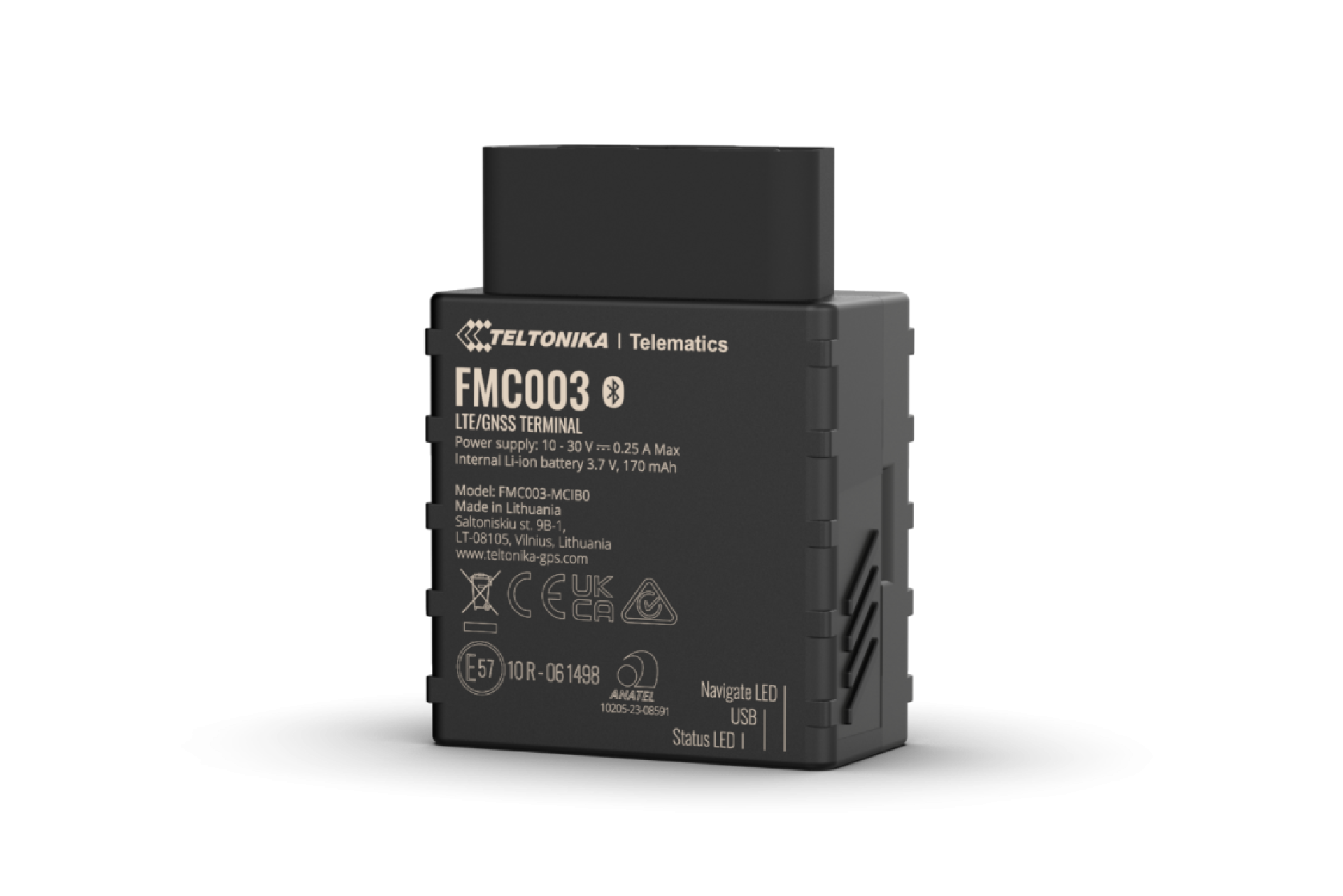
For Vehicles
OBD Plug & Play Tracker
Teltonika FMC003 · 4G LTE Cat 1
The simplest way to start tracking. Plugs directly into your vehicle’s OBD-II port – no wiring, no tools. Delivers real-time GPS, live odometer, speed alerts, and full trip history straight to BONNET.
Trucks & Vans
Fleet Vehicles
Update rate
Every 10 sec
Install time
~2 minutes
Power
Vehicle (OBD)
Trip history
Up to 3 years
Hardware RRP
$280 + $20/mo
Save 10% with annual billing
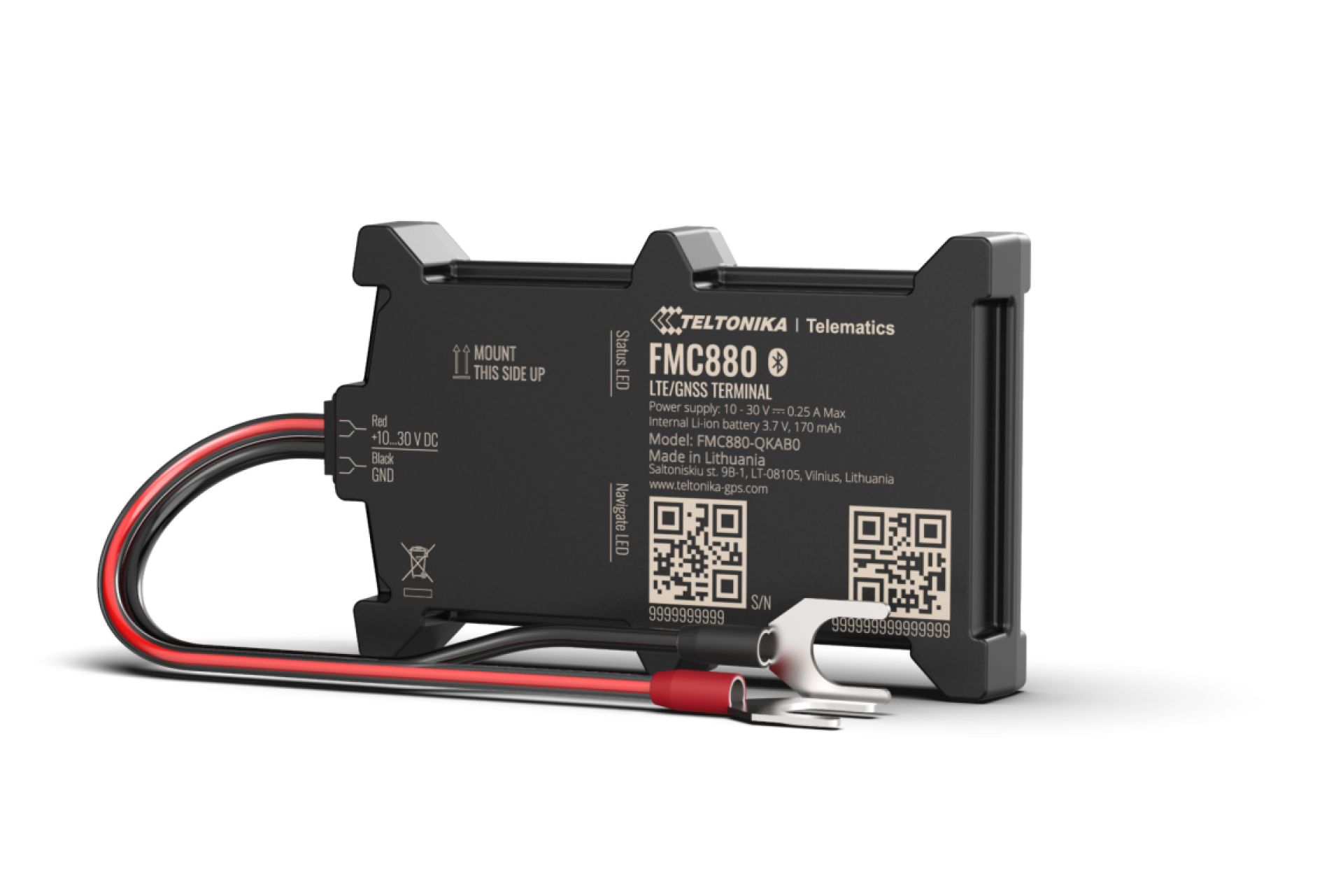
For Vehicles & Machines
Battery GPS Tracker
Teltonika FMC880 · 4G LTE · IP65
Wired directly to the vehicle battery – ideal where an OBD plug isn’t practical or where drivers could unplug an OBD device. Great for machines, engine trailers, and heavy equipment. Tracks hub, odometer, and engine hours.
Engine Trailers
Engine Hours
Tamper-Proof
Update rate
Configurable
Install time
~5 minutes
Power
Vehicle battery
Casing
IP65 weatherproof
Hardware RRP
$280 + $20/mo
Save 10% with annual billing
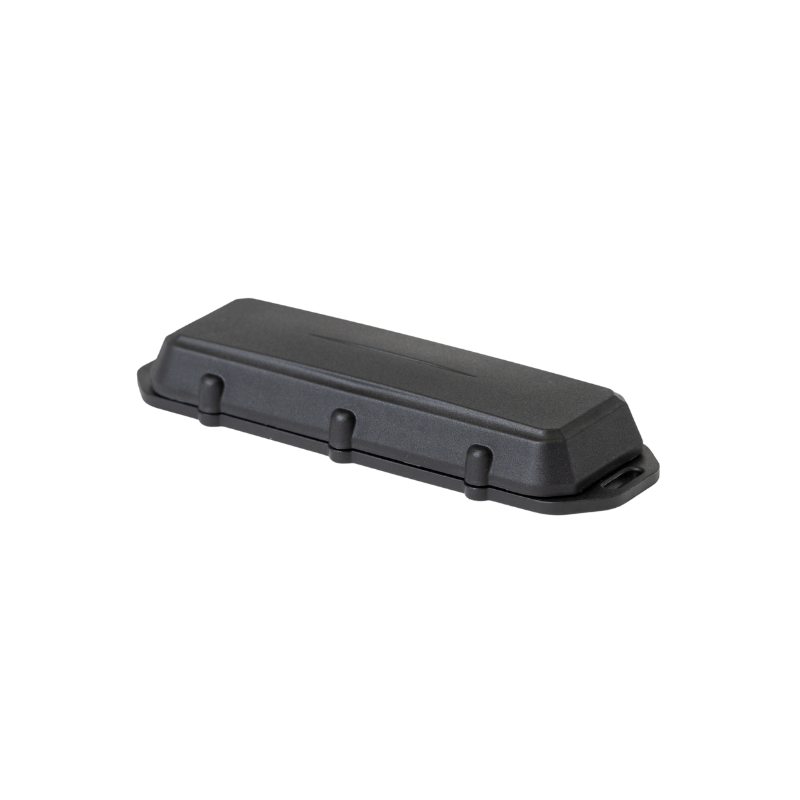
For Trailers & Non-Engine Assets
Trailer & Asset Tracker
Digital Matter Barra GPS · LTE-M · IP68
Zero-wiring tracker for trailers, containers, and any asset without an engine. Pings location twice daily AND every time the asset moves. Powered by 2 standard AA batteries – user-replaceable and available from any hardware store.
Containers
Non-Engine Assets
Updates
2× daily + on move
Battery life
3-5 years
Power
2× AA (replaceable)
Casing
IP68 / IK07 rugged
Hardware RRP
$280 + $13/mo
Save 10% with annual billing
New
OEM Connect
No device. No installation. BONNET connects directly to your vehicle’s factory data via the manufacturer’s own API – giving you real-time GPS, odometer, and live data with zero hardware required. Currently available for BYD, Tesla, and Mercedes-Benz vehicles.
BYD
Tesla
Mercedes-Benz
More manufacturers coming soon.
With GPS tracking
$20/mo
Per vehicle · Save 10% annually
Auto RUC plan (no GPS)
Free
Included in Auto RUC programme
No hardware to order. Active within minutes of signing up.
Compare
Which device is right for me?
A quick side-by-side to help you pick the right tracker for every asset type.
| Feature | OBD Plug & Play Teltonika FMC003 |
Battery Tracker Teltonika FMC880 |
Trailer Tracker Digital Matter Barra |
OEM Connect Hardware-free |
|---|---|---|---|---|
| Real-time GPS | ✓ | ✓ | 2× daily + on move | ✓ |
| Live odometer | ✓ | ✓ | – | ✓ |
| Engine hours tracking | – | ✓ | – | – |
| Speed monitoring & alerts | ✓ | ✓ | – | ✓ |
| Trip history | Up to 3 years | Up to 3 years | – | Up to 3 years |
| Geo-fence alerts | ✓ | ✓ | ✓ | ✓ |
| Works without engine | – | – | ✓ | – |
| Tamper / removal alert | – | ✓ | ✓ | – |
| Weatherproof rating | – | IP65 | IP68 / IK07 | N/A – no hardware |
| Power source | OBD port | Vehicle battery | 2× AA batteries | None (software) |
| Install difficulty | ⚡ Easiest | 🔧 Easy | 🔩 Easy | ✨ Zero install |
| Compatible vehicles | All OBD-II vehicles | Any with battery | Any asset | BYD, Tesla, Mercedes-Benz |
| Hardware cost | $280 | $280 | $280 | Free |
| Monthly subscription | $20 / vehicle | $20 / vehicle | $13 / asset | $20 or Free on Auto RUC |
Installation
Up and running in minutes.
No technician needed. Every device is designed for self-installation by anyone on your team.
Installing the OBD Tracker
Locate your OBD-II port
Find the port under the dashboard on the driver’s side. All NZ vehicles from the mid-90s onwards have one.
Plug in the extension cable (recommended)
Insert the extension cable into the OBD port first. This lets you tuck the tracker out of sight so it can’t be casually unplugged.
Plug in the tracker
Connect the OBD tracker to the extension cable. It powers on automatically – no buttons, no setup.
Pair in BONNET
In the fleet portal, open your vehicle profile and enter the device ID printed on the tracker.
Done – go for a drive
Your vehicle will appear live on the BONNET map within minutes of your first drive.
Installing the Battery Tracker
Choose a mounting location
Find a hidden, protected spot inside the cab or under the machine – away from direct water exposure.
Connect the battery cable
Attach the supplied U-type clamp cable to the vehicle or machine battery. Takes under 5 minutes.
Secure the device
Mount the IP65-rated tracker using the supplied hardware. It’s built to handle tough NZ conditions.
Pair in BONNET
Add the vehicle in the fleet portal and enter the device ID to register it to your account.
Start the vehicle
The tracker will come online and appear live on your BONNET map within minutes.
Installing the Trailer Tracker
Insert AA batteries
Open the device and load 2 AA lithium batteries (available from any hardware or supermarket).
Remove the activation magnet
Pull the magnet off the device to wake it up. Keep it safe – you can use the magnet to put the device back to sleep if needed.
Mount on the asset
Attach to a flat surface on the trailer using the supplied stainless steel screws, cable ties, or rivets. Conceal if possible.
Pair in BONNET
Add the asset in your fleet portal and enter the device ID printed on the tracker.
Check the map next day
The tracker sends its first location within 24 hours, then pings whenever the asset moves.
Setting up OEM Connect
No hardware. No tools. Just sign up and connect your vehicle’s factory account.
Sign up or log in to BONNET
Head to fleet.bonnet.co.nz and create your free account, or log in if you’re already a customer.
Add your vehicle
Enter your number plate – BONNET will pull your compliance data from NZTA automatically.
Select OEM Connect
Choose OEM Connect as your tracking method and select your vehicle’s manufacturer (BYD, Tesla, or Mercedes-Benz).
Authorise with your manufacturer account
Log in with your BYD, Tesla, or Mercedes Me account to grant BONNET read-only access to your vehicle’s live data.
You’re live
Your vehicle will appear on the BONNET map immediately. No waiting, no hardware, no installation.
Simple pricing. No lock-in contracts.
All devices $280 RRP hardware. Pay monthly or annually – save 10% on annual billing.
Got a quote from a competitor? We’ll beat it by 10%. Guaranteed.
Vehicle Tracking
$20/mo
Hardware $280 RRP
Save 10% annually
OEM Connect
$20/mo
No hardware needed
Free on Auto RUC
Asset Tracking
$13/mo
Hardware $280 RRP
Save 10% annually
FAQ
Common questions
Can’t find your answer? Reach out – the team is always happy to help.
Do I need a technician to install the hardware?
Nope! The OBD tracker plugs in like a USB stick (~2 mins), the battery tracker connects to the vehicle battery (~5 mins), and the trailer tracker is just screws and batteries. No professional installation needed.
What vehicles work with OEM Connect?
OEM Connect currently supports BYD, Tesla, and Mercedes-Benz vehicles. It connects directly to the manufacturer’s app API – no hardware required. More brands are coming soon.
Is OEM Connect really free?
Yes – if you’re on the BONNET Auto RUC programme and don’t need GPS tracking, OEM Connect is completely free. Your vehicle’s factory data powers automatic RUC purchasing at no extra cost.
Will the OBD tracker work with my vehicle?
The OBD-II port is standard in virtually all NZ petrol and diesel vehicles from the mid-1990s onwards. If you’re unsure, just get in touch and we’ll confirm compatibility before you order.
Is there a minimum contract?
No lock-in contracts. Pay month-to-month or choose annual billing to save 10%. Cancel or scale up anytime.
What if I get a cheaper quote elsewhere?
We’ll beat it by 10%. Just share the quote with us and we’ll sort it out – no fuss.
Ready to track your fleet?
Get in touch for a hardware quote – or jump straight in with a free trial.
Got a quote? We’ll beat it by 10% – guaranteed.